ProximityLock now supports android. I think it needs separate post.
So here is a caveat. Nothing really hard or super sophisticated, but still an extra step. Unlike many other devices android support needs a bit more tinkering: additional app install.
Also this is pretty much experimental, I tested it only on Google Pixel 6 with latest available Android version. This app was started with only Apple devices in mind.
Unlike iPhones and many other devices Android phones usually don't transmit BLE beacons by default, they need additional app to be installed and configured. This app will be running in the background and actively transmit BLE beacons with a fixed/constant id. In a nutshell, under the hood ProximityLock tracks devices by the identifier that Core Bluetooth provides. For iPhones and other Apple devices this identifier stays stable. But when an Android phone rotates its Bluetooth address for privacy, the identifier changes too. The beacon payload never changes (unless you change it manually on transmitting side), so I specifically added support for the AltBeacon format.
All that now will allow you to use Android phone for proximity tracking. Below are the instructions how to set it up. Since version 1.40.5 ProximityLock can track AltBeacon, and an Android phone can emit those with a free app from Play Store.
What you need
- A Mac with ProximityLock installed of course and
- An Android phone with the Beacon Scope app from the Play Store
Beacon Scope is the app I use and tested on my Google Pixel. Other beacon transmitter apps may work too, as long as they emit the AltBeacon format.
1. Enable beacon on the phone
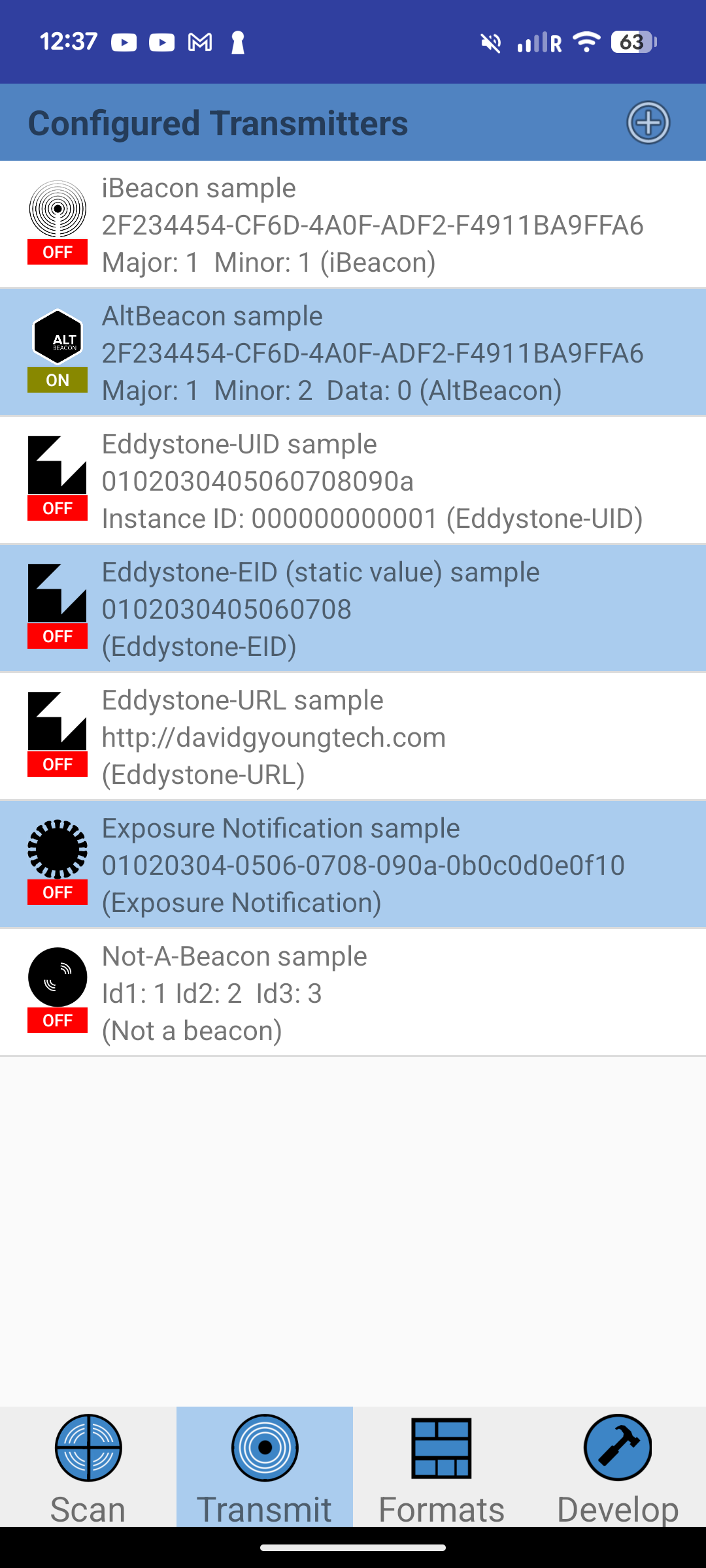
Install Beacon Scope app, open the Transmit tab, and enable the AltBeacon sample transmitter. Important: select AltBeacon, not iBeacon, Eddystone or anything else. For now only AltBeacon is supported specifically for this case.
2. Allow background usage
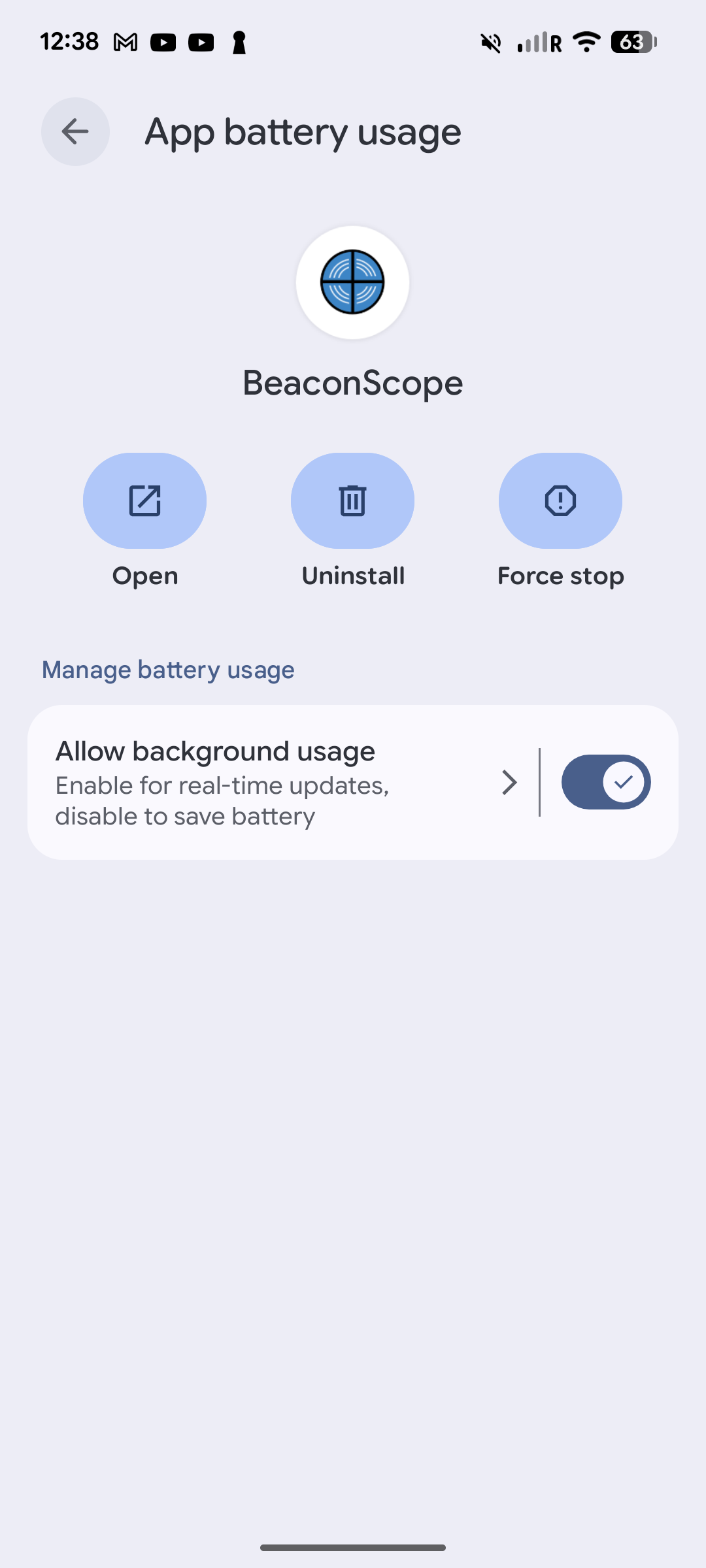
Android depending on the vendor of the phone can be aggressive about putting apps to sleep. So for the beacon to keep transmitting with the screen off, it's better to allow background battery usage for Beacon Scope in the app's battery settings.
3. Select the beacon in ProximityLock
Check if you see the beacon in ProximityLock or hit Refresh in the device list to scan. The beacon should show up with its vendor name and identifiers, something like "Radius Networks · 2f234454 · 1/2".
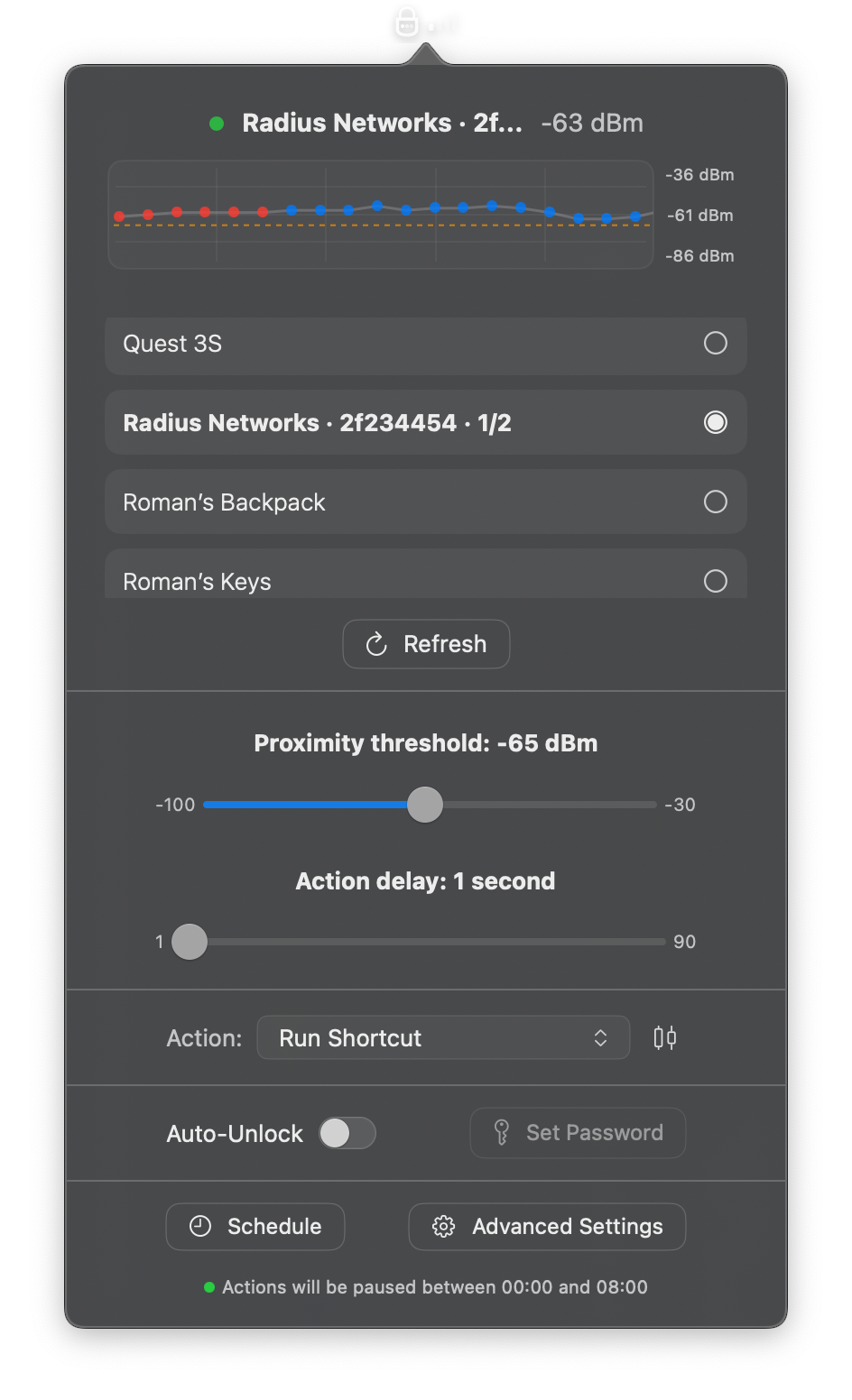
From here everything should work the same as with an iPhone or any other BLE device.
Address rotation
This is the reason I chose AltBeacon (for now, support for other types may be added later) specifically: Android rotates its Bluetooth hardware address regularly for privacy and ProximityLock handles this by tracking the beacon payload instead of the address.
Questions and Suggestions?
Android beacon support shipped as part of a bigger update. The release post covers the other things in that update. If something doesn't work on your phone, send me an email at [email protected] or reach out on Discord.